Templates, forks and clones
This page answers: what do you actually get when you make a repository from Tiny Tapeout’s template, how is that different from a fork or a clone, and what is still missing afterwards?
Every Tiny Tapeout project starts the same way. Someone presses Use this template on one of Tiny Tapeout’s template repositories, gets a repository of their own, and starts filling it in. It looks like a copy of the template, but it isn’t quite one, and the differences explain several of the red crosses you’ll see in the team’s repositories. You’ll make your own repository this way in Lab 01.
Three ways to copy a repository
GitHub and git give you three different kinds of copy, and each takes a different amount from the original:
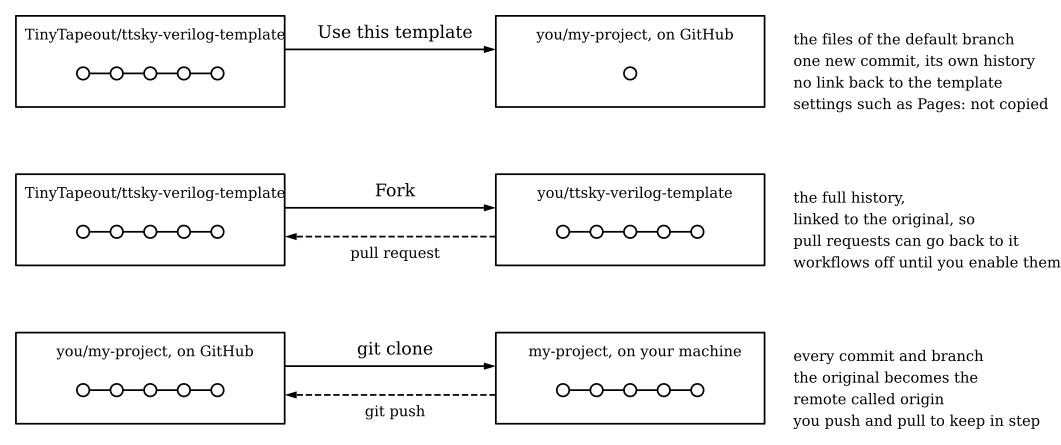
Use this template makes a new repository that starts with the template’s files and nothing else. GitHub’s documentation puts it this way: the new repository gets “the same directory structure, branches, and files”, by default only the default branch, and “a repository created from a template starts with a single commit”, with a history unrelated to the template’s (creating a repository from a template). Your project’s history starts at that commit, and nothing in it links back to the template’s history.
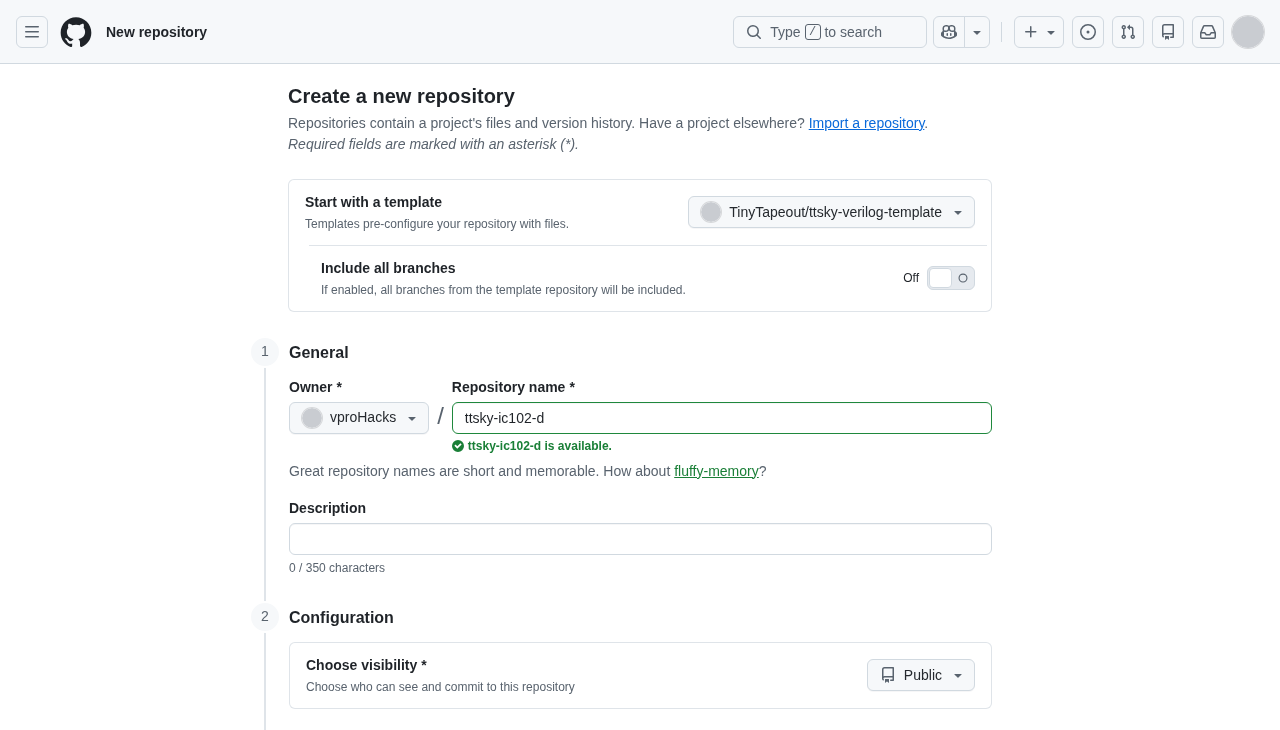
The template itself has a much longer past. This is Tiny Tapeout’s digital template on Nov 15, 2026, seen without signing in:
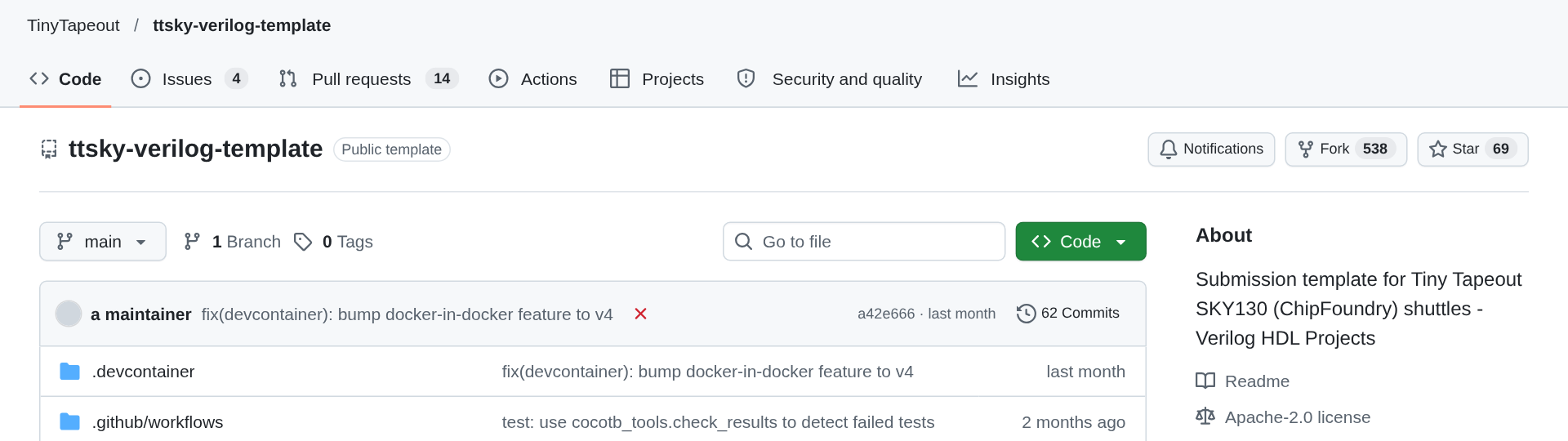
None of its 62 commits come with it when you use it; your repository starts with one commit of its own.
A fork is a copy that stays linked to the original. It keeps the history, and because GitHub remembers the link, you can open a pull request from your fork back to the original repository. That’s how you contribute to a project you can’t push to, such as Tiny Tapeout’s own template, or, in Lab 04, your partner’s repository. A fork doesn’t run workflows straight away, though. GitHub’s documentation says that “Workflows don’t run in forked repositories by default” (events that trigger workflows), so a fork of a Tiny Tapeout repository won’t check anything until you turn Actions on in it.
A clone is a copy on your own machine, made with git clone. It has every commit and branch, and the repository you cloned from becomes the remote called origin, which is where your pushes go. You’ll clone every repository you work on, whichever way it was created.
For your own project, you use the template. You fork when you want to propose a change to somebody else’s repository, and you clone whenever you want to work on a repository at all.
What the template gives you
The digital template, TinyTapeout/ttsky-verilog-template, gives you these files:
| Path | What it’s for |
|---|---|
info.yaml |
Your project’s title, author, top module, tile size, clock and pinout |
docs/info.md |
The text of your page in the datasheet |
src/project.v, src/config.json |
An example design (an adder) and the LibreLane settings |
test/ |
A cocotb testbench (tb.v, test.py), its Makefile and requirements.txt |
.github/workflows/ |
Four workflows: docs, test, gds and fpga (fpga is switched off with branches: none) |
.devcontainer/ |
A container definition, with the template’s tools, for VS Code’s dev containers |
LICENSE |
Apache-2.0 |
README.md |
Badges for the workflows, and links to Tiny Tapeout’s guides |
The analog template, TinyTapeout/ttsky-analog-template, is smaller. It has only two workflows, docs and gds, and its src/project.v is an empty module that declares the power and signal pins your layout must provide. There’s no example design, because the design is the layout you draw, and the gds workflow expects to find it already in the repository. If you’re joining the team’s ASIC Zoo, you’ll start from asic-zoo-template, which was itself made from Tiny Tapeout’s analog template and is marked as a template in its own right.
The template doesn’t give you its settings, though. Every gds workflow ends with a job called viewer, which publishes your layout through GitHub Pages so that Tiny Tapeout’s 3D viewer can show it, and Pages is switched off in a new repository. When we checked on Nov 15, 2026, Pages was off in protocol-emulator, hart-1, crosswalk and asic-zoo-template, all of them made from a template, and the viewer job had failed in every gds run they’d made. (Pages has since been turned on in all four.) GitHub’s documentation doesn’t say which settings a template passes on, but these four repositories show that Pages isn’t one of them. Reading a workflow file shows what the failure looks like and how it’s fixed.
The placeholders you have to replace
The template is meant to be filled in, and its checks fail until you do. The two files that matter most are info.yaml and docs/info.md.
info.yaml arrives with its title, author and description empty, its pinout blank and its top module set to tt_um_example. Tiny Tapeout’s validator, project_info.py in tt-support-tools, reads it on every push and rejects, among other things, an empty title, author, description or language, a top module whose name doesn’t start with tt_um_, a missing or non-integer clock_hz, analog_pins outside 0 to 6, uses_vapwr set without an analog pin, an empty pinout, and any pin added to or deleted from the pinout. The comments in the template’s own info.yaml say the same things in plainer words (“DO NOT delete or add any pins”), and they’re worth reading line by line.
docs/info.md arrives with two sections, “How it works” and “How to test”, each holding a sentence of placeholder text. The docs check (project_checks.py) doesn’t look for the headings. It looks for the placeholder sentences themselves, Explain how your project works and Explain how to use your project, under those headings, and reports the section as missing if it finds them.
hart-1 shows both checks at work. Its info.yaml still has the template’s empty fields, and its docs/info.md is identical to the template’s. Here is the end of the docs job from its run on Nov 15, 2026 (run 43752267314):
## Errors in info.yaml
- Project title cannot be empty
- Project author cannot be empty
- Project description cannot be empty
- Please fill in the 'pinout' section

## Errors in docs/info.md
- Missing 'How it works' section in docs/info.md
- Missing 'How to test' section in docs/info.md
Both sections exist in that file; they’re reported as missing because they still hold the template’s sentence. The docs and gds workflows in hart-1 have failed on every push since its first commit on Oct 18, 2026, while test has passed every time, because its test is still the template’s own test of the template’s adder.
Everything you put in info.yaml ends up in public: in the repository, and in the datasheet that the docs workflow builds. The author field and the optional discord field are yours to choose, and How open-source projects work says more about what that means.
Template updates
Tiny Tapeout updates its templates for every shuttle. The digital template’s history has a commit called “chore: update tags for …” for each one: TTSKY25a (Jun 27, 2025), TTSKY25b (Sep 18, 2025), TTSKY26a (Feb 27, 2026), TTSKY26c (May 26, 2026) and TTSKY26d (Sep 15, 2026). Each of those commits changes the tag at the end of every uses: TinyTapeout/tt-gds-action/…@… line, which picks the version of Tiny Tapeout’s actions your workflows run.
Your repository doesn’t get those updates, because its history is unrelated to the template’s and git has no common commit to merge from. Each of the team’s repositories is therefore frozen at the tag it was made with: ttsky25b in simproc and dpll, ttsky26a in ttsky-verilog-tinyCGRA, ttsky26d in hart-1, sentry, crosswalk and asic-zoo-template, and ttihp26b in protocol-emulator. That’s usually what you want, since a project that worked last week keeps working. When a project does need a newer template’s workflows, Tiny Tapeout’s FAQ says to copy the new template’s files over the old ones, and that they “should replace anything in .github/workflows, .devcontainer and test/Makefile”. Doing that is outside this course, but it helps to know why it’s a copy and not a merge.
Check yourself
- You make a repository from the digital template and clone it. How many commits does
git logshow, and how many does the template have?
One commit, the “Initial commit” GitHub made when it created your repository. The template had 62 when we looked on Nov 15, 2026, and none of them come with it, because a repository made from a template starts with a single commit and a history of its own.
- Your docs workflow reports
Missing 'How to test' section in docs/info.md, but you can see a## How to testheading in the file. What’s wrong?
The placeholder sentence Explain how to use your project is still under the heading. The check looks for that sentence, not for the heading, so replace it with a real description of how to test your design.
- You’ve found a mistake in a comment in Tiny Tapeout’s template and want to propose a fix. Do you use the template, fork it, or clone it?
Fork it (and then clone your fork to edit it). A fork keeps the link to the original repository, which is what lets you open a pull request back to it. A repository made with “Use this template” has no such link.
- Why does the
viewerjob fail on the first push to a repository made from the template, even when nothing else is wrong?
It deploys to GitHub Pages, and Pages is a repository setting. The template passes on its files but not its settings, so Pages is off in the new repository until you turn it on, and the job passes only in a run started after that.
Next: Lab 01, where you make your own repository from the template.