The analog workflows
This page answers: what does each job in the analog template’s two workflows do, and what does a red cross on each one usually mean?
Reading a workflow file explains how to read any workflow. This page goes through the two the analog template gives you, docs.yaml and gds.yaml, as they are at the template’s commit 301590b (Sep 15, 2026), with every action at the tag ttsky26d. The steps quoted are from Tiny Tapeout’s actions at that tag. You’ll see each of the failures described here in Lab 01 and Lab 02.
The biggest difference from the digital template is that nothing on the runner builds your layout. A digital project’s gds job runs LibreLane for several minutes to turn Verilog into a layout. In an analog project you draw the layout yourself, on your own machine, and commit the result, and the runner only copies it, checks it and publishes it. The analog template also has no test workflow and no gl_test job, because there’s no Verilog to simulate: src/project.v is an empty module that only declares the pins.
docs
docs.yaml has one job, docs, with two steps: it checks out your repository, then runs Tiny Tapeout’s docs action. Inside that action, the checking is done by one step, “Check info.yaml and docs/info.md”, which runs tt_tool.py --check-docs from Tiny Tapeout’s support tools. That program reads info.yaml with the same validator the rest of Tiny Tapeout uses, looks through docs/info.md for the template’s placeholder sentences, and prints every problem it finds before it fails:
## Errors in info.yaml
- Please fill in the 'pinout' section

## Errors in docs/info.md
- Missing 'How it works' section in docs/info.md
- Missing 'How to test' section in docs/info.md
That’s from the team’s crosswalk on Nov 8, 2026. If the check passes, the action goes on to build your page of the datasheet as a PDF, with Pandoc and Typst, and uploads it as an artifact called PDF.
The docs job runs in parallel with gds and finishes first, in about half a minute, so it’s usually the first red cross you see. It doesn’t look at your layout at all. The course’s make docs runs the same check function, from the same commit of the support tools, on your own machine.
gds
gds.yaml has three jobs. The first, gds, packages your layout; the other two, precheck and viewer, each start with needs: gds, so they run only if it passes, and then they run side by side.
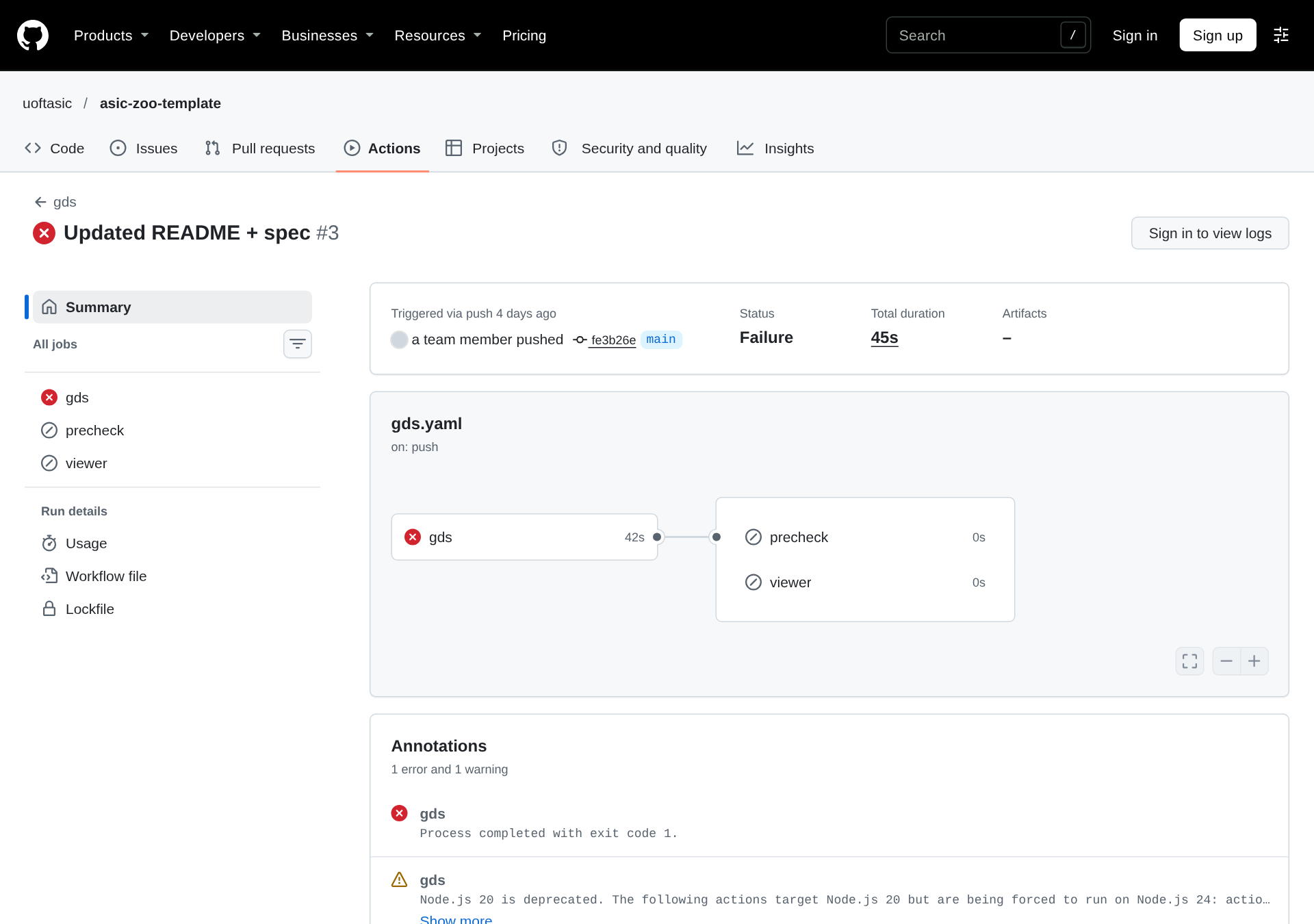
The gds job
Two steps of the job are in your repository’s gds.yaml. “Read top module name” reads top_module from info.yaml with yq, and “Create and publish the GDS artifact” passes it to Tiny Tapeout’s custom_gds action, along with three paths built from it: gds/<top_module>.gds, lef/<top_module>.lef and src/project.v. Inside custom_gds:
- It writes two small files,
commit_id.json(which repository, commit and run this is) andpdk.json(sky130A), into a folder calledtt_submission. - It installs KLayout 0.29.12.
- “Copy GDS / LEF files to tt_submission” copies your GDS and LEF into
tt_submission, under your top module’s name, writes an OASIS copy of the GDS with KLayout’sstrm2oas, and copiessrc/project.vin as<top_module>.v. - It uploads
tt_submission, together withinfo.yaml,LICENSEanddocs/, as thett_submissionartifact. The other two jobs start from that artifact, not from your repository. - It renders a PNG picture of the layout and uploads it as the
gds_renderartifact. If the render fails, the step prints a warning and the job carries on.
Step 3 is where a new analog repository first fails, with the GDS file missing:
cp: cannot stat 'gds/tt_um_example.gds': No such file or directory
##[error]Process completed with exit code 1.
That’s from the team’s asic-zoo-template, which had no layout yet. You get the same line when top_module in info.yaml doesn’t match the file’s name, because the path is built from top_module. Nothing in this job checks your GDS (it only copies, converts and renders it), so a layout that’s wrong in every way passes it as long as the two files exist.
The precheck job
precheck downloads the tt_submission artifact and checks it. Its own steps install what it needs, and that’s most of its run time:
- It checks out Tiny Tapeout’s support tools from their
mainbranch, which holdsprecheck.py. - It installs the
sky130APDK at commit0536d02d…, fixed in the action, with Tiny Tapeout’scielaction. - It builds Magic and KLayout through Nix, at versions fixed by two Nix package commits: Magic 8.3.568 and KLayout 0.30.8.
- “Run precheck” runs
precheck.pyon your GDS, which runs all 15 checks forsky130Aand carries on after one of them fails. What precheck checks goes through them. - Three more steps run whether or not the checks passed (
if: always()). “Test Summary” and “Capture test results” put precheck’s table of results on the run’s summary page, and “Upload reports” uploads the reports folder as theprecheck_reportsartifact.
When precheck is red, start with the table on the run’s summary page; it names every failed check with its message. Then read the log of “Run precheck” for the details. Once in a while the job fails before it checks anything, in a step that downloads something. On Nov 9, 2026 a public project’s precheck failed in “Install sky130A PDK” with The read operation timed out, which says nothing about the layout; re-running the failed job is the right response to that.
In the team’s repositories, precheck took between 91 and 315 seconds. In one public analog project’s run on Nov 14, 2026 it took 2 min 21 s, after a gds job of 1 min 12 s.
The viewer job
viewer downloads tt_submission and gds_render, writes a one-page website that sends its visitor to Tiny Tapeout’s 3D viewer with your layout loaded, and deploys that page with GitHub Pages. It needs Pages turned on with GitHub Actions as the source, and a new repository has Pages off, so viewer fails on the first run that gets that far:
##[error]Error: Failed to create deployment (status: 404) with build version ... Ensure GitHub Pages has been enabled: https://github.com/uoftasic/protocol-emulator/settings/pagesThe fix is to turn Pages on (Settings › Pages › Build and deployment › Source: GitHub Actions) and then start a new run, with Run workflow or a new push, rather than re-running the failed one: at the ttsky26d tag, a re-run of viewer within a day of the first attempt fails with Multiple artifacts named "github-pages". Reading a workflow file has the rest of that log, and its section Re-running a run explains why a re-run fails that way. When it works, the job’s summary has links to the 3D viewer and to Tiny Tapeout’s GDS explorer, and your Pages site redirects to the viewer.
viewer doesn’t depend on precheck, so it passes even when precheck fails, and a run can end with precheck red and viewer green:
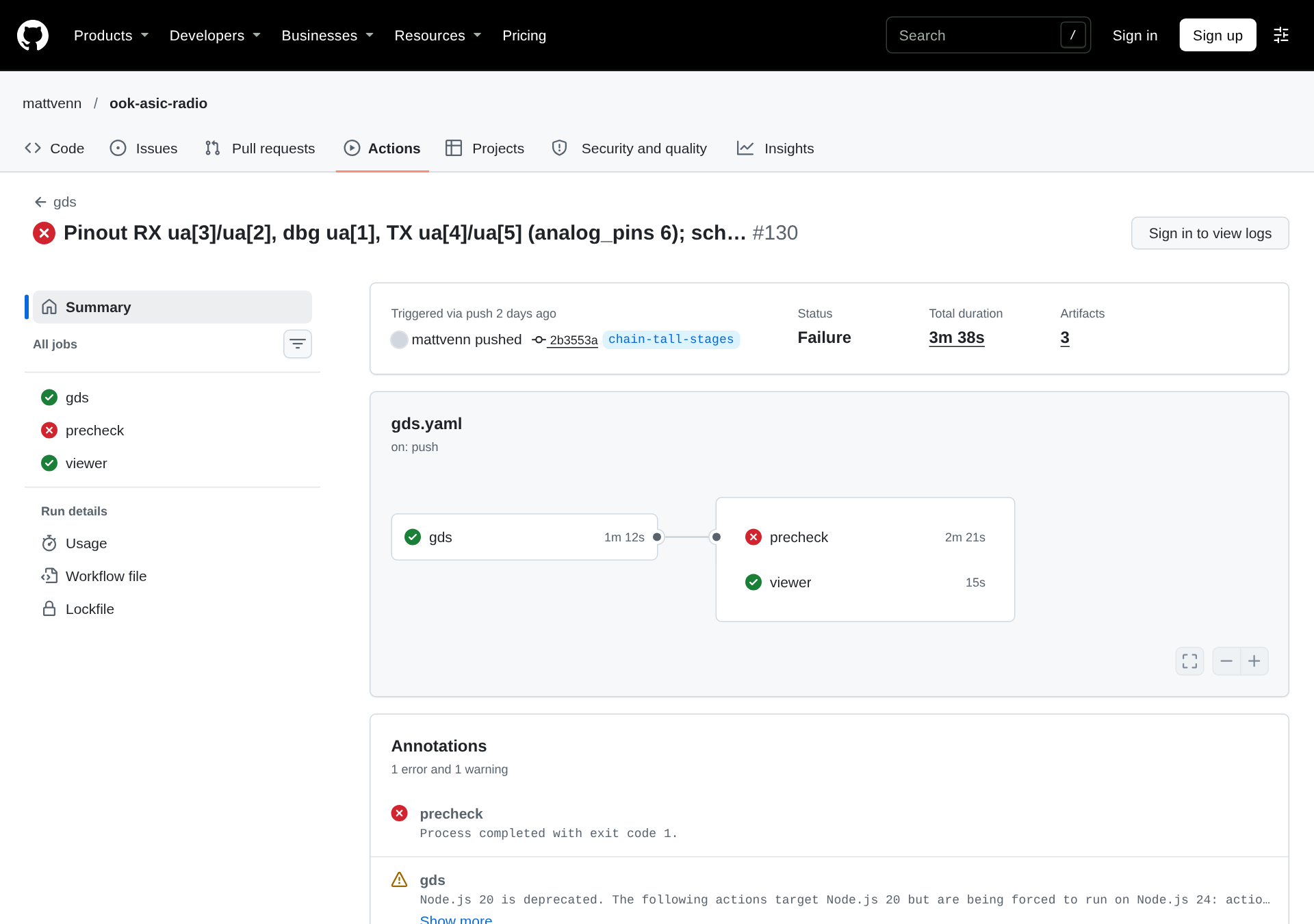
In this course a workflow counts as passing only when all three jobs are green.
Which push runs what
The template’s two workflows start on every push, to any branch, and on workflow_dispatch, the Run workflow button. There is no pull_request trigger. A pull request between two branches of your own repository still shows checks, though: every push to the pull request’s branch started runs of both workflows, and GitHub shows the runs for the branch’s latest commit.
Every push runs viewer too, whichever branch it’s on, so your Pages site shows the layout from the last run whose viewer job deployed, not necessarily main’s. The team’s sentry deploys from feature branches routinely; its gds run of Nov 16, 2026 on the branch 12-implement-rtl-for-window-controller-module (run 43796948508) passed with viewer green.
Check yourself
A
gdsrun shows thegdsjob red after 40 seconds, andprecheckandviewergrey. Which step do you open first, and what are the two likely causes?TipAnswer“Copy GDS / LEF files to tt_submission”, inside “Create and publish the GDS artifact”. It’s the step that copies your GDS and LEF, and a short failure there means one of them isn’t where the workflow looks: no layout committed yet, or a
top_moduleininfo.yamlthat doesn’t match the files’ names. The other two jobs are grey because theyneedthis one.Your
precheckis red with a ❌ on “Magic DRC”, and yourvieweris green. Does the 3D viewer show your layout?TipAnswerYes.
viewerneeds onlygds, so it published the layout thatgdspackaged, DRC errors and all. A greenviewersays nothing about whether the layout is right.Why can’t you run the template’s
gdsworkflow on a pull request from a fork without changing it?TipAnswerIt has no
pull_requesttrigger, and the fork’s own workflows don’t run by default, so nothing would run at all.